
Quick Links
- Can You See the Names of People Who Listen to Your Spotify Podcast?
- Where to Find Your Podcast Analytics on Spotify
- What Can You Actually See About Your Spotify Podcast Audience?
- Followers Are Not the Same as Listeners
- Completion Rate Can Tell You More Than a Listener’s Name
- Spotify Also Shows Returning Audience and Retention
- You Can Now See How People Discover Your Podcast on Spotify
- You Can Track Links You Share Too
- What About Podcast Comments and Polls?
- Spotify Analytics for Shows Hosted Somewhere Else
- Which Spotify Podcast Metrics Would I Actually Watch?
- Don’t Build Content Around Demographics Alone
- Can Spotify Tell You Exactly Who Follows Your Podcast?
- Can You See Who Listened to a Particular Spotify Episode?
- Can You See Who Listened to Your Podcast on Other Platforms?
- Frequently Asked Questions [FAQs]
- Wrapping Up: No Names, but Plenty of Useful Data
Spotify for Creators gives podcasters quite a lot of information about their audience, but one question comes up more often than almost anything else: can you actually see who listened to your Spotify podcast?
The short answer is no. Spotify does not give podcast creators a list of individual listeners who played an episode. You cannot open your analytics and find out whether your friend Richard listened to yesterday’s episode, see the names of everyone who follows your show, or click through individual listener profiles to study what they played.
What Spotify gives you instead is aggregated audience data. You can see how many people listened, where audiences are located, their broad age and gender breakdowns, whether they are new or returning listeners, how much of an episode people completed, how they discovered your show, and quite a bit more.
And honestly, that information is much more useful for running a podcast than knowing that one particular person pressed play.
The analytics have also changed considerably since I first wrote this guide. Spotify for Podcasters is now Spotify for Creators, and the dashboard has grown from a handful of basic podcast metrics into separate sections for audience, discovery, engagement, and episode performance.
So, while you still cannot see exactly who listens to your Spotify podcast, you can now learn a lot more about the audience as a whole.
Your Audience is Yawning
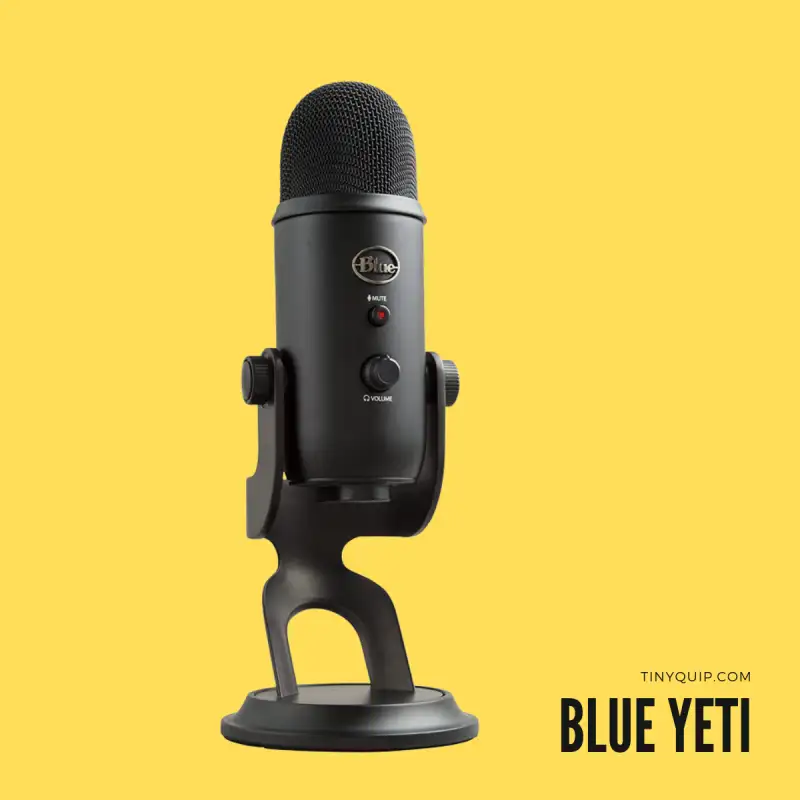
There are two factors that can make your audience sleepy while listening to your podcast. One is a boring script, and the second is poor audio.
Here are my favorite 10 best microphones for podcasters that will make you sound-sick professional. And also budget-friendly for starters and professionals.
Can You See the Names of People Who Listen to Your Spotify Podcast?
No. Spotify provides podcast creators with audience information in aggregate rather than revealing the identity of individual listeners.
You might see that 2,000 unique people listened to your show during a particular period, that a certain percentage came from India or the United States, and that a large part of your Spotify audience belongs to a particular age group. What you won’t get is a spreadsheet containing 2,000 names and Spotify accounts.
Spotify itself describes its podcast audience information as aggregated trends rather than data about individual users.
There is an important distinction here because Spotify does let listeners interact with creators in other ways. Someone may voluntarily leave a comment on an episode, reply to a discussion, or participate in engagement features. You can obviously interact with people who choose to make themselves visible in that way, but that doesn’t suddenly give you a list of everybody who quietly listened to the episode. Spotify’s comments feature is an audience-interaction tool, not a listener-identification system.
So, if 500 people listened and five left comments, you know something about those five interactions. You still don’t know who the other 495 people were.
Where to Find Your Podcast Analytics on Spotify
Spotify currently puts your main show analytics inside Spotify for Creators.
For show-level analytics, sign in to Spotify for Creators and open Analytics. From there, you can move between sections such as Overview, Audience, Discovery, and Engagement depending on the information you want to study.
You can also inspect individual episodes by opening Episodes, selecting an episode, and then viewing its Analytics section. Spotify now lets creators export sections of analytics data as CSV files too, which is useful if you want to keep monthly reports or analyse performance outside the dashboard.
In case your podcast is hosted somewhere else and you only use Spotify for Creators to manage its Spotify presence, some analytics will naturally be limited to Spotify. If Spotify for Creators actually hosts your show, Spotify can also report some data from other podcast platforms using the show’s RSS distribution.
If you’re not sure how the RSS side of that works, I have a separate guide explaining the podcast RSS feed and how one feed can distribute your episodes across several podcast apps.
What Can You Actually See About Your Spotify Podcast Audience?
The answer is quite a bit more than the older version of this article covered.
Let’s go through the metrics I would actually pay attention to.
1. Spotify Audience
Your Spotify Audience tells you how many distinct people played your show on Spotify during the selected period.
This is different from simply counting plays.
One person may play three episodes or listen to the same episode twice. Those actions can generate multiple plays, but that listener still represents one person in the audience count for that period.
Spotify currently defines a play as an episode being watched or listened to for at least 30 seconds on Spotify. Its audience metric, meanwhile, counts distinct people rather than every individual play.
That makes audience size a better number when the question is:
How many different people am I actually reaching?
while plays help answer:
How much activity is my content generating?
I wouldn’t treat one as more important than the other. They tell you different things.
2. New and Returning Audience
This is one of the more useful improvements Spotify has made to its creator analytics.
Spotify now divides your audience into new and returning people.
A new audience member is someone who played your show during the selected period but had not played any episode from the show during the previous year. A returning audience member had listened before and came back during the selected period.
This can tell you something your total listener count alone cannot.
Suppose two episodes both reach 5,000 people.
The first attracts a large number of completely new listeners.
The second is mostly consumed by people who already know your show.
Those are two very different successes.
The first episode may have been particularly good at discovery, while the second may tell you something about what your regular audience values.
Spotify expanded these audience tools in 2026 specifically to make it easier for creators to understand discovery and repeat listening over time.
3. Geographic Location
Spotify also lets you see where your audience is located.
This can become useful once you have enough listeners to notice genuine patterns. You may discover that a show you expected to be mostly popular in India is unexpectedly building an audience in the UK, or that one particular city consistently gives you a strong listener base.
Location data can help with things such as live events, sponsorships, regional guests, advertising, and occasionally even deciding when to publish or promote something.
But I wouldn’t overreact to it.
If 18% of your listeners happen to come from one region, that doesn’t mean every future episode suddenly needs to talk about that place. Analytics should help you understand your audience, not turn your content into a spreadsheet.
Spotify currently includes location information inside Audience analytics, and Spotify-hosted shows can also receive certain audience information from platforms beyond Spotify.
If you are also trying to make sure the podcast itself appears under the right subject, I have a separate guide on how to change your podcast category on Spotify.
4. Age and Gender
Spotify provides broad age and gender demographics for your Spotify audience.
These can be useful when you are trying to understand who the show is actually reaching rather than who you imagined it would reach.
For example, you may have created a show expecting the majority of listeners to be in their early twenties and eventually discover that a large part of your actual Spotify audience is considerably older.
That doesn’t automatically mean you should change your podcast.
It may simply tell you that the content resonates with a different audience than you expected.
The information can also be useful when speaking with sponsors because brands often want to understand the broad demographics of the audience they would be reaching.
Spotify says age and gender information in Audience analytics comes from Spotify itself, rather than other podcast platforms.
I would use these demographics as context, not as instructions. Knowing that most listeners fall into a particular age group doesn’t tell you that every person in that group wants the same content.
5. Apps, Platforms and Devices
Spotify-hosted creators can also see information about the apps and devices used to consume their podcast across supported platforms.
This is useful operational data, but I would change the advice from my old article quite substantially.
I previously suggested that if most people listened on mobile, you should consider making episodes shorter and reducing audio-file sizes. That’s too much to infer from one metric.
A mobile listener could be listening to a ten-minute episode on a bus or a three-hour interview during a road trip. The device doesn’t tell you why they are listening, how much time they have, or what episode length they prefer.
Instead, I would combine device information with actual engagement data.
If mobile listening is high and a particular episode format consistently has poor completion, then you have something worth investigating. Device data alone isn’t enough to redesign the show.
Spotify currently makes Apps and Devices analytics available for shows hosted with Spotify for Creators.
Followers Are Not the Same as Listeners
This distinction is easy to miss.
Someone can listen to one episode of your podcast without following the show, while another person can follow the show and not necessarily listen to every episode you publish.
Spotify therefore tracks followers separately.
You can see how many people followed your show during a selected period and how that number changes, but Spotify does not give you an episode-by-episode list of the individual people who followed.
Followers are particularly useful because they tell you whether listeners are interested enough to keep the show in their Spotify library rather than simply trying one episode and leaving.
If an episode brings in a lot of new listeners but very few followers, that’s interesting.
If another episode reaches fewer people but produces a strong increase in followers, that’s interesting too.
Again, the value comes from comparing the metrics rather than looking at any one number in isolation.
Completion Rate Can Tell You More Than a Listener’s Name
This is one of the metrics I would pay much more attention to today than when the original article was written.
Spotify tracks completion rate, which tells you what percentage of your audience made it at least 95% of the way through an episode during the measurement period Spotify uses for that metric. It can also show average consumption time and compare the performance of recent episodes.
Suppose 10,000 people start an episode.
That sounds fantastic.
But if a large part of the audience leaves shortly after the beginning, knowing the first and last names of those 10,000 people wouldn’t solve your actual problem.
What you really need to know is where the content lost them and whether another episode performed better.
This is where the analytics become useful for content decisions.
You might find that:
- long introductions consistently lose people;
- interview episodes retain listeners better than solo ones;
- a particular subject generates lots of initial interest but poor completion;
- one recurring format consistently performs above your normal range.
That’s actionable.
And it is one reason I would now argue that aggregated behaviour is often more valuable to a creator than individual identity.
If the structure itself needs work, I have a separate guide on how to write a podcast script that covers solo, interview, conversational, and narrative formats.
Spotify Also Shows Returning Audience and Retention
Completion tells you whether someone made it through an episode.
Retention gives you another perspective: do people actually come back?
Spotify’s Engagement analytics now include week-over-week retention alongside returning-audience information. You can use this to see whether the audience you have already attracted continues listening over time.
This can help separate two very different kinds of growth.
A viral clip may bring a huge number of people to one episode.
A genuinely strong podcast builds enough value that some of those people return next week.
Ideally, you want both discovery and retention.
But if I had to diagnose a podcast that gets reasonable exposure and still refuses to grow, returning audience is one of the places I would look.
You Can Now See How People Discover Your Podcast on Spotify
This is another major addition to the updated article.
Spotify’s Discovery analytics show how people encounter your show on Spotify before they start listening.
This includes impressions, which Spotify defines as the number of times your show, episode, or clips appeared to somebody on eligible Spotify discovery surfaces. Spotify also shows where on Spotify that discovery happened.
That helps answer a very different question from audience demographics.
Demographics tell you broadly who your audience is.
Discovery analytics tell you how people are finding you.
For example, you may discover that Spotify is showing an episode frequently, but relatively few people start listening. That could make the episode title, artwork, subject, or presentation worth examining.
Another episode may receive fewer impressions but turn a much higher share of those exposures into actual listening.
Neither metric gives you a list of names, but together they tell you much more about the podcast’s performance.
You Can Track Links You Share Too
Spotify now also provides sharing analytics for links created through Spotify for Creators.
Those analytics can include:
- clicks on the shared link;
- Spotify plays resulting during the period;
- the conversion rate from clicks into plays.
This is useful if you share episodes through newsletters, social media, communities, or other channels and want to know whether those links actually drive people into Spotify.
Again, you won’t see:
Ashutosh clicked at 8:42 PM and listened for 23 minutes.
You will see aggregated performance.
For most marketing decisions, that’s exactly what you need.
What About Podcast Comments and Polls?
Spotify has increasingly added ways for creators and listeners to interact directly.
Listeners can comment on episodes, and creators can read, moderate, react to, and reply to those comments through Spotify for Creators.
That gives you something analytics cannot: actual words from the audience.
If the dashboard shows that a particular episode performed unusually well, comments can sometimes help explain why.
You can ask questions, read what listeners enjoyed, and learn what they would like you to cover next.
But comments should not be confused with listener analytics.
Someone leaving a comment chose to interact publicly. That does not mean Spotify reveals everybody else who played the episode.
Comments help you talk with part of your audience.
Analytics help you understand the audience as a whole.
I would use both.
Spotify Analytics for Shows Hosted Somewhere Else
You don’t have to host your podcast with Spotify for Creators to access Spotify analytics.
Spotify lets creators claim and manage podcasts hosted with services such as Buzzsprout, Libsyn, Podbean, and other hosts, and claiming a show gives you access to detailed Spotify analytics along with engagement features.
There is, however, an important difference.
If Spotify for Creators hosts your podcast, its analytics can include certain data from other platforms where your RSS feed is available, including downloads and broader audience information.
If another company hosts your podcast, Spotify naturally doesn’t have that same host-level view across the rest of the podcast ecosystem. Your external hosting provider will normally remain the place where you see broader RSS download statistics.
So, for an externally hosted podcast, I wouldn’t use Spotify analytics as the only source of truth.
Use Spotify for Spotify behaviour.
Use the host’s analytics for the broader RSS picture.
And use Apple Podcasts Connect, YouTube Studio, or other platform dashboards where you want platform-specific behaviour.
If you are considering changing hosts at some point, I also have a guide on how to change your podcast RSS feed on Spotify for Creators without breaking the show’s distribution.
Which Spotify Podcast Metrics Would I Actually Watch?
If you open an analytics dashboard often enough, you eventually reach the point where every graph starts looking important.
I would resist that.
For a normal podcast, I would keep an eye on a smaller combination:
Audience: Are more unique people actually finding the show?
New vs returning audience: Are you attracting new people, and are enough of them coming back?
Followers: Are occasional listeners deciding they want more?
Completion and consumption: Are people staying with the episodes once they start?
Discovery: Is Spotify actually showing your content to potential listeners?
Episode comparisons: Which subjects and formats consistently perform better or worse than your normal range?
Spotify’s current Trends tools can compare as many as five episodes and benchmark selected episodes against the normal performance range of your recent content. Episode benchmarks require enough publishing history, with Spotify currently saying at least ten published episodes are needed before those comparisons appear.
That is far more useful than obsessing over whether one particular person listened.
Don’t Build Content Around Demographics Alone
This is another area where I would soften the original Tiny Quip advice.
Analytics are useful, but they can also tempt creators into over-optimising everything.
Suppose your dashboard tells you that a large proportion of listeners are women aged 28–34.
That doesn’t automatically mean your next ten episodes should suddenly become “content for women aged 28–34.”
Maybe that group likes the podcast precisely because you weren’t designing it around a demographic stereotype in the first place.
I would use audience information to ask better questions:
Why might this group be responding well?
Are certain episodes driving it?
Does the same pattern continue over several months?
Is the audience I originally wanted still growing too?
What do comments and actual listener feedback say?
Analytics should help you notice patterns. They shouldn’t replace editorial judgment.
The same applies when you are thinking about monetization. Age, location, audience size, retention, and engagement can all be useful when talking with advertisers or sponsors, but the quality of the audience matters too. If that is something you are working toward, I have a separate guide explaining whether Spotify pays podcasters and the ways Spotify podcast monetization works.
Can Spotify Tell You Exactly Who Follows Your Podcast?
No. You can see follower metrics and how they change over time, but Spotify for Creators does not provide creators with a directory of individual followers.
This is similar to listening data.
Spotify gives you enough aggregated information to understand whether people are discovering, following, and returning to the show without turning the analytics dashboard into a list of individual listener accounts.
If you want more direct relationships with your audience, use voluntary channels instead: comments, polls, a newsletter, community, membership, or other places where listeners actively choose to interact with you.
And if your aim is to turn some of that audience into paying supporters, Tiny Quip also has a guide on creating a paid podcast subscription on Spotify.
Can You See Who Listened to a Particular Spotify Episode?
No. Opening an individual episode gives you much deeper episode-level analytics, but it still doesn’t reveal a list of individual listeners.
Spotify currently provides episode-specific information around performance, audience demographics, discovery, completion, and other engagement metrics. Some episodes can also be compared with your recent normal performance once the show has enough publishing history.
That means you can answer questions such as:
Did this episode reach more people than usual?
Did more of them finish it?
Where did people discover it?
Did it perform above or below my recent episodes?
What kind of audience did it reach?
You still cannot answer:
Which exact Spotify accounts listened?
And those are two very different kinds of analytics.
Can You See Who Listened to Your Podcast on Other Platforms?
Not through Spotify as individual people.
If Spotify hosts your show, Spotify for Creators can display certain aggregated audience and download information from other platforms where your RSS feed is available. Spotify specifically separates Spotify Audience, Off Platform Audience, and All Platform Audience in its current analytics definitions.
But once again, these are counts and aggregated analytics.
You don’t suddenly gain access to the identity of someone listening through Pocket Casts or another RSS-based application.
The wider podcast ecosystem was built around RSS distribution rather than the creator receiving a personal profile of every person downloading an audio file.
Frequently Asked Questions [FAQs]
No. Spotify for Creators provides aggregated analytics rather than a list of individual listeners. You can see audience size, broad demographics, location, engagement, discovery, and other performance information, but you cannot identify every individual Spotify account that listened to your podcast.
You can see follower counts and changes in followers over time, but Spotify does not provide creators with a list of individual follower identities. Followers are tracked as an engagement metric.
Spotify provides aggregated age and gender breakdowns for your Spotify audience. These demographics come from Spotify and do not reveal the identity of individual listeners.
Yes. Spotify’s Audience analytics include location information, allowing you to see geographic patterns within your audience.
Spotify currently counts a play when an episode is watched or listened to for at least 30 seconds. Audience counts distinct people during the selected period, so one person generating several plays is still one member of the audience for that period.
Yes, in aggregate. Spotify provides completion and consumption metrics that help creators understand how much of an episode people listened to or watched. Its current completion-rate metric measures the percentage of the audience that reached at least 95% of an episode during the applicable measurement period.
Spotify’s Discovery analytics provide impressions and information about where on Spotify your content was discovered. Sharing analytics can also show clicks, plays, and conversion rates for links created through Spotify for Creators.
Yes. You can claim an externally hosted podcast in Spotify for Creators and access Spotify-specific analytics. Spotify-hosted shows receive additional host-level analytics, including certain data from other podcast platforms.
Many Spotify for Creators metrics update around every 15 minutes, while some audience and engagement metrics can take longer, with Spotify noting that certain data may require up to 48 hours to refresh.
Wrapping Up: No Names, but Plenty of Useful Data
So, can you see who listens to your podcast on Spotify? Not individually.
Spotify isn’t going to tell you that Richard listened on Tuesday, skipped your introduction, returned on Thursday, and then played three other episodes.
What it can tell you is that your podcast reached a certain number of unique people, whether they were new or returning, where audiences broadly came from, their age and gender breakdowns on Spotify, which episodes held attention, how much content people completed, where discovery happened, and whether people returned to the show later.
For me, that’s the more useful side of analytics anyway.
Knowing one person’s identity doesn’t tell you what to do with your next episode. Seeing that a particular format consistently attracts new listeners but fails to bring them back might.
Use the analytics to spot those patterns, but don’t let them dictate every creative decision. Pair the numbers with comments, feedback, your own understanding of the show, and enough time for a real pattern to emerge before changing the entire content strategy.
And if the numbers convince you that a particular subject deserves a completely different direction, you can also revisit things such as your Spotify podcast category, while creators working with spoken content can use my guide on how to transcribe a Spotify podcast when they need an audio-to-text version of an episode.
Before You Leave
Get Our Prime Content Delivered to your Inbox for Free!! Join the Ever-Growing Community… Right Now.
Give this article a quick share,