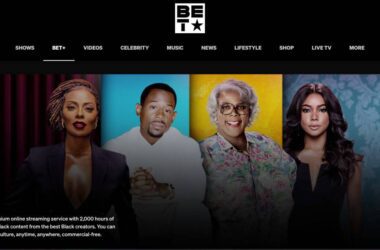
If you subscribed to BET Plus through Amazon Prime Video and are not sure how to start watching, you are not alone. Many users expect a separate activation step, but the process works a little differently here.
When you get BET Plus through Prime Video Channels, most of the setup happens automatically. There is no need to visit an activation page or enter a code like you would with other apps. This is what makes it simple, but also a bit confusing if you are used to the usual activation process.
In this guide, you will learn exactly how to activate BET Plus via Amazon Prime Video Channels, how the setup works, and what to do if something is not working. We will also cover common issues and how to fix them so you can start streaming without any trouble.
Let’s begin by understanding how BET Plus works inside Amazon Prime Video Channels and what makes it differentfrom a regular subscription.
In this Guide,
- What Is BET Plus on Amazon Prime Video Channels?
- Things You Need Before Activation
- How to Subscribe to BET Plus on Amazon Prime Video
- How to Activate BET Plus via Amazon (Step-by-Step)
- Do You Need to Activate BET Plus Separately?
- Common Issues and Fixes
- Can you use the BET Plus App with an Amazon Subscription?
- How to Cancel BET Plus on Amazon Prime Video
- Conclusion: Start Watching BET Plus Through Amazon Easily
- Frequently Asked Questions [FAQs]
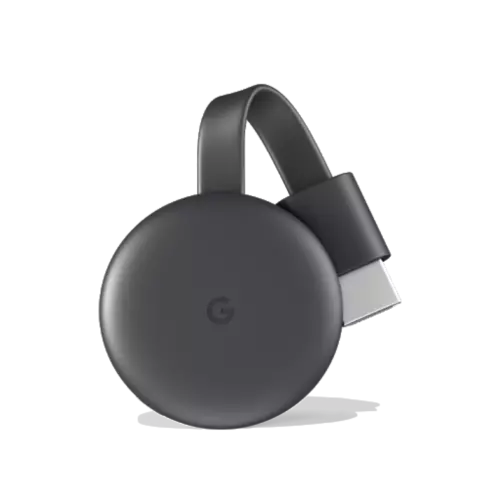
Google Chromecast
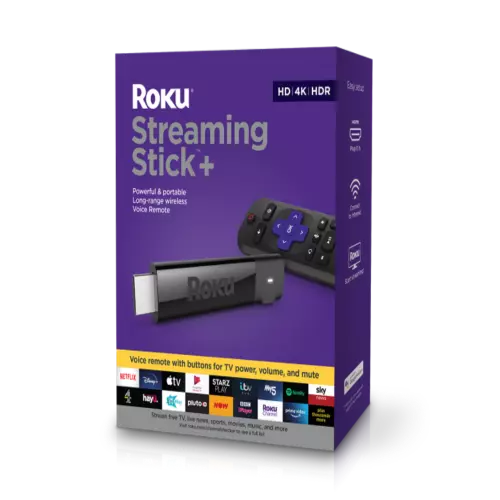
Roku
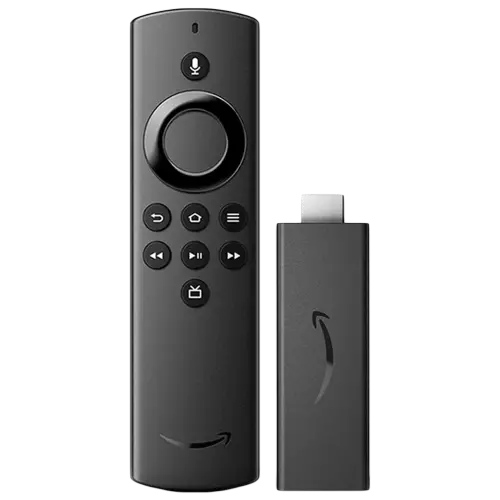
Amazon FireStick
What Is BET Plus on Amazon Prime Video Channels?
BET Plus on Amazon Prime Video Channels is a simple way to access BET Plus content through your existing Amazon account. Instead of signing up separately, you add BET Plus as a channel inside Prime Video.
This means everything is handled in one place, including billing, login, and streaming.
How Prime Video Channels Work
Prime Video Channels let you subscribe to extra streaming services directly within Amazon Prime Video.
Once you add BET Plus:
- It becomes part of your Prime Video library
- You can watch it using the same Prime Video app
- Billing is handled through your Amazon account
There is no need to create a separate BET Plus account unless you want to use the standalone app.
Difference Between Direct BET Plus and Amazon Subscription
This is where things can feel a bit confusing.
- Direct BET Plus subscription: You sign up on the BET Plus website or app and manage everything there
- Amazon Prime Video Channels subscription: You subscribe through Amazon, and everything is controlled from your Amazon account
The main difference is where your subscription lives. With Amazon, you do not need a separate activation process.
Also Read: Does BET Plus Support Multiple Profiles? Watch History & Account Use
Things You Need Before Activation
Before you activate BET Plus through Amazon Prime Video Channels, make sure you have a few basic things ready. This helps avoid confusion during setup.
Active Amazon Account
You need a working Amazon account to access Prime Video Channels.
Make sure:
- You are signed in to the correct Amazon account
- Your account details are up to date
This is where your BET Plus subscription will be linked.
Prime Video Subscription
Prime Video Channels are part of Amazon’s ecosystem, so you need access to Prime Video.
Without this:
- You will not be able to browse channels
- BET Plus will not appear as an option
Ensure your Prime Video access is active before moving ahead.
BET Plus Channel Add-On
BET Plus works as an add-on channel inside Prime Video.
You need to:
- Find BET Plus in the channel section
- Subscribe to it before activation
Once you subscribe, activation usually happens automatically.
Also Read: How to Enable Subtitles or Change Audio Language on BET Plus
How to Subscribe to BET Plus on Amazon Prime Video
Before activation, you need to subscribe to BET Plus through Amazon Prime Video Channels. The process is simple and takes only a few minutes.
Follow these steps.
1. Find BET Plus in Prime Video Channels
- Open the Prime Video app or website.
- Go to the Channels section and search for BET Plus. You can also type it in the search bar to find it quickly.
2. Start Your Subscription
- Once you open BET Plus, you will see an option to start your subscription.
- Click on Subscribe or Start Free Trial if available.
Make sure you review the pricing details before confirming.
3. Confirm Billing
After selecting your plan, confirm your payment method.
Since this is handled by Amazon:
- Billing will be added to your Amazon account
- You will not need to enter separate payment details for BET Plus
Once confirmed, your subscription becomes active instantly.
Also Read: How to Download BET Plus Shows for Offline Viewing
How to Activate BET Plus via Amazon (Step-by-Step)
Once you have subscribed, the good news is that activation is mostly automatic. You do not need to enter any code or visit a separate page. Everything works inside Amazon Prime Video.
Here’s how to start watching.
1. Open Prime Video
- Go to the Prime Video app on your device or open it in a browser.
- Make sure you are signed in with the same Amazon account you used to subscribe.
2. Access BET Plus Content
- Search for BET Plus or go to your Channels section.
- You will now see BET Plus shows and movies available in your library.
- Click on any title to open it.
3. Start Watching
- Once you select a show, it should start playing instantly.
- There is no separate activation step required. Your subscription is already linked to your Amazon account.
That’s all you need to do. If everything is set up correctly, you can start streaming right away.
Also Read: How to Log In to BET Plus on TV, Mobile & Web
Do You Need to Activate BET Plus Separately?
In most cases, the answer is no. When you subscribe through Amazon Prime Video Channels, BET Plus is activated automatically. There is no need to enter codes or link accounts as you would with other apps.
When Activation Is Automatic
Activation happens instantly when:
- You subscribe to BET Plus through Prime Video
- You are signed in with the correct Amazon account
- You access content directly inside Prime Video
Once these are in place, you can start watching without any extra steps.
When You Might Need to Sign In Separately
There are a few situations where users get confused.
If you try to open the BET Plus standalone app, your Amazon subscription may not work there. This is because your subscription is linked to Amazon, not directly to BET Plus.
In such cases:
- You may not be able to log in using your Amazon details
- You may be asked to subscribe again inside the app
The best option is to continue watching through Prime Video.
Key Thing to Remember
- No activation code is needed with an Amazon subscription
- Everything works inside Prime Video itself
Also Read: How to Activate BET & BET Plus
Common Issues and Fixes
Even though activation is simple through Amazon Prime Video, you might still run into a few issues. Most of them are easy to fix once you know the cause.
Let’s go through the common ones.
BET Plus Not Showing on Prime Video
If you cannot find BET Plus in the Channels section, it is usually a visibility issue.
Try this:
- Search for “BET Plus” directly in the search bar
- Check if your Prime Video subscription is active
- Restart the app or refresh the page
If it still does not appear, your region or device may not support the channel.
Subscription Active but Content Locked
Sometimes, you may see BET Plus shows but cannot play them.
This often happens when:
- You are signed in with a different Amazon account
- Your subscription has not synced yet
To fix this:
- Sign out and sign back in
- Wait a few minutes and try again
- Check your subscription status in your Amazon account
Playback or Loading Issues
If videos are not loading or keep buffering, it is usually a performance issue.
You can fix it by:
- Restarting your device
- Checking your internet connection
- Updating the Prime Video app
You can also test your internet speed using Speedtest by Ookla to make sure it is stable.
Most issues are small and temporary. Once fixed, streaming works smoothly.
Also Read: How to Install and Watch BET on Roku – Couch Potato Guide
Can you use the BET Plus App with an Amazon Subscription?
This is one of the most common questions users have after subscribing to Amazon Prime Video.
App Access Limitations
If you subscribed to BET Plus via Amazon, your access is tied to Prime Video.
This means:
- Your subscription works inside Prime Video
- You may not be able to log in to the standalone BET Plus app
- Using your Amazon account directly on the BET Plus app usually does not work
This is because Amazon Channels subscriptions are managed separately from direct app subscriptions.
What You Should Do Instead
The best way to use your subscription is to stay within Prime Video.
You can:
- Watch all BET Plus content directly in the Prime Video app
- Use Prime Video across your devices instead of switching apps
This keeps everything simple and avoids login issues.
Workarounds and Alternatives
If you really want to use the BET Plus app:
- You would need a direct BET Plus subscription
- Your Amazon subscription will not automatically transfer
So it is better to choose one method and stick with it.
Also Read: How to Cancel DAZN Subscription
How to Cancel BET Plus on Amazon Prime Video
If you subscribed to BET Plus through Amazon Prime Video, you must cancel it from your Amazon account. You cannot cancel it from the BET Plus app.
Follow these steps.
1. Open Your Amazon Account
- Go to your Amazon account on a browser or through the app.
- Make sure you are signed in with the same account used for the subscription.
2. Go to Channels or Subscriptions
Find the section called:
- Memberships & Subscriptions
- Or Prime Video Channels
Here, you will see a list of all active subscriptions.
3. Select BET Plus
- Locate BET Plus in the list.
- Click on it to open subscription details.
4. Cancel Subscription
- Click on Cancel Channel or Cancel Subscription.
- Confirm your choice when prompted.
5. Keep Access Until Billing Ends
After canceling:
- Your subscription stays active until the current billing period ends
- You will not be charged again after that
Also Read: Max Review (HBO Max): Is This the Best Streaming Platform?

ExpressVPN Review | Why is this the Best VPN Service?
Is NordVPN Any Good? This Review is All You Need
Conclusion: Start Watching BET Plus Through Amazon Easily
Activating BET Plus through Amazon Prime Video is one of the easiest ways to start streaming. There is no need for extra steps like entering activation codes or linking accounts. Once you subscribe, everything works inside Prime Video.
Most confusion happens when users try to use the BET Plus app instead of staying within Prime Video. As long as you remember that your subscription is tied to Amazon, the process becomes simple.
If you face any issues, they are usually small and can be fixed quickly by checking your account, restarting the app, or confirming your subscription.
Follow the steps in this guide, and you will be able to start watching BET Plus through Amazon without any hassle.
If you like what you read, give us a quick share on your social media platform and give us all the love and support. You can also connect with us on our Telegram Channel, Facebook Page, Reddit Community, and X to never miss out on tech updates.
Frequently Asked Questions [FAQs]
No, activation is automatic once you subscribe through Amazon Prime Video Channels.
Amazon subscriptions work only inside Prime Video. They do not transfer to the standalone BET Plus app.
You can watch it directly inside the Prime Video app on your supported devices.
You may be signed into the wrong Amazon account, or your subscription has not synced yet. Try signing out and back in.
No, you must cancel it from your Amazon account settings.
Yes, it is a paid add-on channel on top of your Prime Video subscription.
Yes, you can watch it on devices that support Prime Video using the same account.
Search for it directly or check your subscription status. Restarting the app can also help.
Before You Leave
Get Our Prime Content Delivered to your Inbox for Free!! Join the Ever-Growing Community… Right Now.
Give this article a quick share,